






Check Balance NJOI: SMS, WhatsApp & App Methods
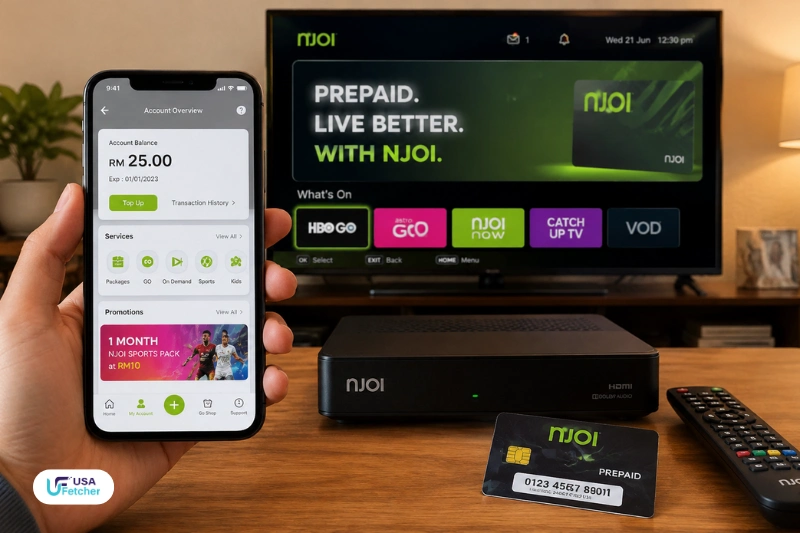
Check Balance NJOI is possible through official methods, including SMS, WhatsApp, and the My NJOI App. NJOI Prepaid users can view their remaining credit and expiry details by using their 12-digit Smart Card number through these supported channels.
SMS is the fastest method to find out the NJOI balance as a user sends a message to the official enquiry number in the prescribed format. Users preferring the online option can use NJOI WhatsApp support or the My NJOI application to handle the prepaid account.
Checking your NJOI prepaid balance regularly can ensure you can keep an eye on the amount of credit you have available, when to check up on the expiration date, and if your prepaid value runs out before you can continue to use the services.
Check Balance NJOI Using Official Methods
NJOI offers several balance enquiry choices for prepaid customers that can be utilized. Both options ask the user to enter his or her account ID information, which primarily consists of the 12-digit Smart Card number associated with the NJOI account.
There are several ways to do this:
| Method | Required Information | Result |
| SMS | 12-digit Smart Card number | Balance and expiry details |
| NJOI Smart Card details through chatbot | Credit balance and top-up options | |
| My NJOI App | Registered Smart Card number | Account balance and prepaid information |
Users need to ensure that they have entered their Smart Card number correctly, as if this is not correct, account information may not be retrieved from the system.
How to Check NJOI Balance Through SMS
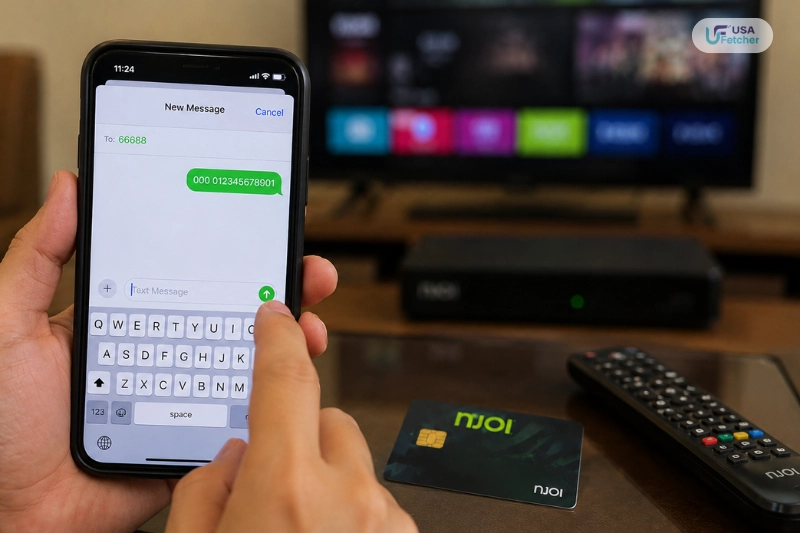
One of the fastest ways to verify an NJOI prepaid balance without downloading the mobile application is by SMS. Users must only have their 12-digit Smart Card number and a mobile phone that can send SMS messages.
NJOI Balance Check SMS Format
Please submit the following template:
000 [12-digit Smart Card Number]
Send it to:
66688
Example:
000 012345678910
Once the users send the SMS, they get a reply SMS with their remaining prepaid credit balance and expiry details. Depending on the mobile service provider, standard telecommunications charges may apply.
Things to Check Before Sending SMS
- Verify if the Smart Card number is 12 digits.
- Leave one space between the 000 and Smart Card number.
- Use a working mobile phone number.
- Wait until the reply message has been displayed before sending another request.
It’s helpful for those who aren’t interested in downloading an application or using online services.
Check NJOI Balance Through WhatsApp
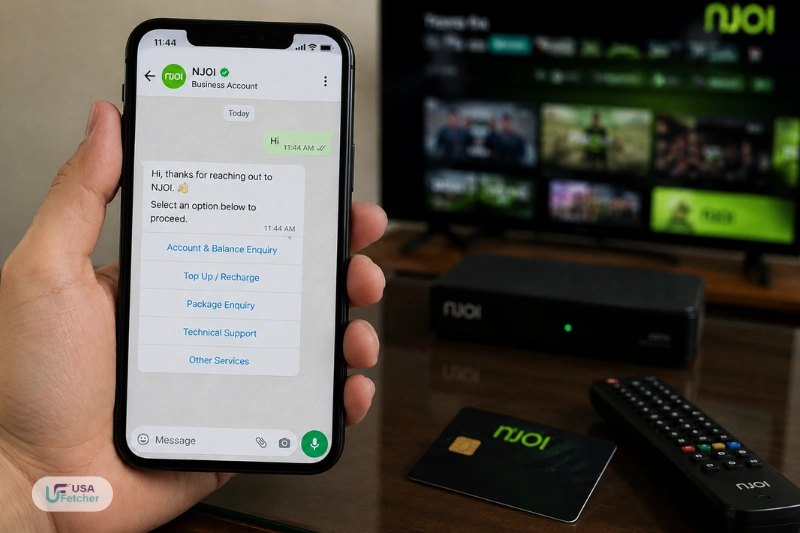
NJOI also offers a prepaid WhatsApp service, where customers can access their credit balance as well as control the services related to top-ups via an automated chat system.
The official NJOI Prepaid WhatsApp number is:
03 9543 8100
Steps to Check Balance on NJOI WhatsApp
- Save 03 9543 8100 in your phone contacts.
- Open WhatsApp and send:
| Hi |
- Follow the automated instructions.
- Select the option related to credit balance and top-up.
- Enter the required NJOI account details.
The WhatsApp service can provide prepaid balance information and expiry details through the chat process.
Why WhatsApp Is Useful for NJOI Users
WhatsApp can be a handy choice since users have the ability to make use of a number of prepaid services from a single location, such as:
- Checking available credit
- Managing top-up options
- Redeeming prepaid vouchers
- Getting account assistance
View NJOI Balance Through My NJOI App
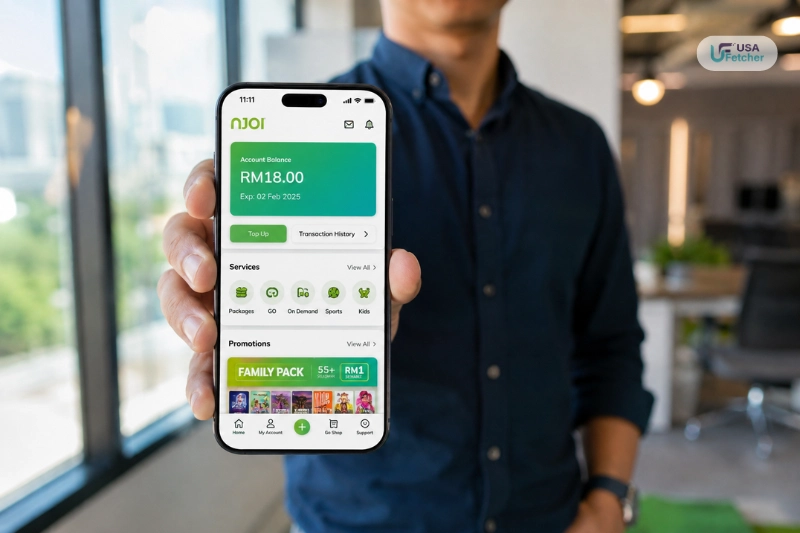
The My NJOI application offers a digital way for prepaid customers to manage their accounts. Users can link their Smart Card number to the app and see details of prepaid information directly on their mobile device.
Steps to Check Balance in My NJOI App
- Download and open the My NJOI app.
- Sign in using your 12-digit NJOI Smart Card number.
- Select the “+” icon.
- Tap the “i” information icon.
- View your current credit balance details.
It’s great for anyone who is using their NJOI account on a regular basis, because it allows them to both check their balance and manage their prepaid account from a single application.
Find Your NJOI Smart Card Number Before Checking Balance
For a number of account services, such as balance enquiries via SMS or official channels, a 12-digit NJOI Smart Card number is needed. In case you don’t remember your Smart Card number, NJOI has easy methods for finding it straight from your TV screen.
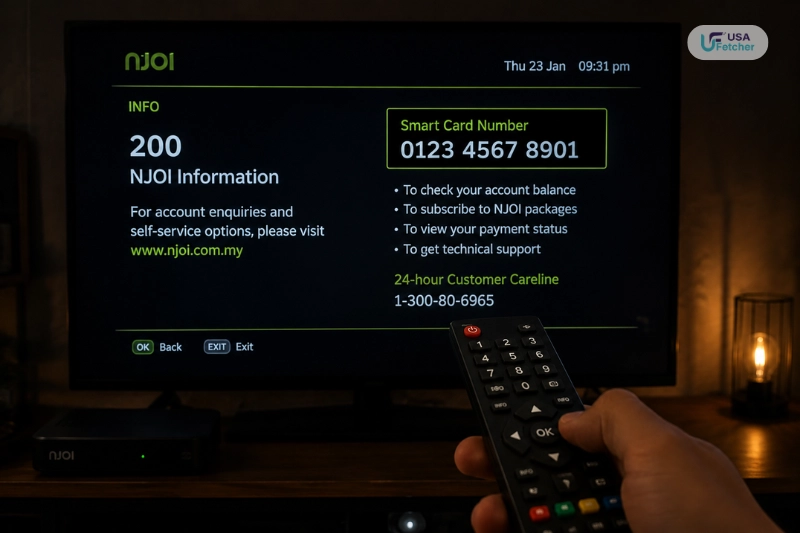
Find NJOI Smart Card Number Through Channel 200
NJOI Channel 200 is a self-service system that provides customers with account-related information, including their Smart Card details.
Follow these steps:
- Power on your NJOI decoder. Switch on your NJOI decoder.
- Go to Channel 200.
- Check the information displayed on the screen.
- Find your Smart Card number in the Account section.
This Smart Card number can then be used to check the balance via SMS, WhatsApp or the My NJOI app on Channel 200.
Find NJOI Smart Card Number Through STB Diagnostics
Users are also able to use the decoder settings menu to view account information.
Steps:
- Press the Home button on your NJOI remote.
- Open Settings.
- Select STB Diagnostics.
- Check the displayed device information.
This is also a good approach when troubleshooting problems with NJOI service, as the diagnostic section gives technical information about the box.
NJOI Prepaid Top Up Methods and Voucher Options
Many users will check the balance available and then top up their balance to be able to use their prepaid channels and packs. NJOI offers various top-up methods: digital payment and prepaid voucher.
NJOI Prepaid Voucher Prices
Official NJOI prepaid vouchers are available in three main denominations:
| Voucher Type | Value |
| NJOI Prepaid Voucher | RM10 |
| NJOI Prepaid Voucher | RM20 |
| NJOI Prepaid Voucher | RM30 |
Users can purchase NJOI credit through:
- My NJOI App
- Selected online banking merchants
- e-Pay kiosks
- Authorized NJOI Prepaid dealers
Depending on the platform, there are various payment methods available. NJOI also provides services to certain online banking merchants, credit cards, e-wallet payments, and prepaid merchants.
How to Activate NJOI Prepaid Voucher
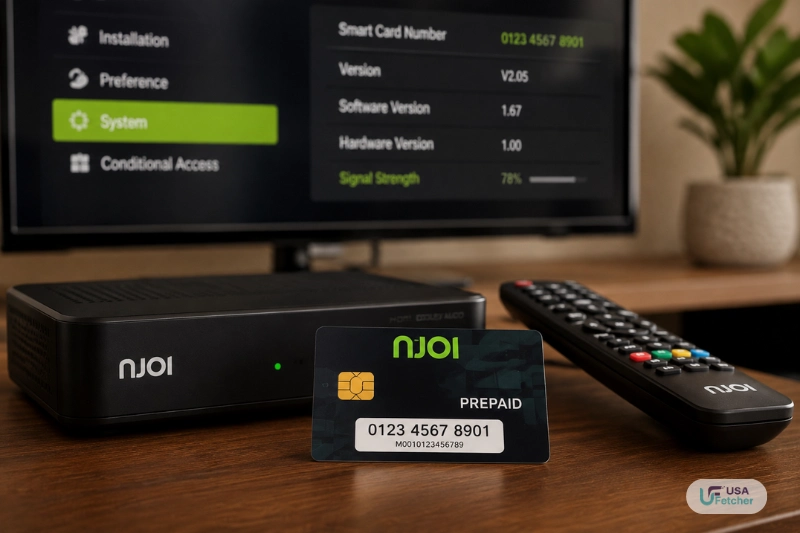
A physical NJOI prepaid voucher includes a PIN code that needs to be redeemed prior to the credit being added to your account.
There are two official ways of activating the user’s voucher:
Activate Voucher Using My NJOI App
Steps:
- Unlock the My NJOI App.
- Go to the top-up option.
- Enter the voucher PIN number.
- Confirm the redemption.
- Look at the new prepaid balance.
Customers can use the My NJOI app to add their Smart Card numbers, buy prepaid credit to the account, and check their account information.
Activate Voucher Through NJOI WhatsApp
The prepaid vouchers can also be redeemed via the official NJOI WhatsApp service.
Steps:
- Open WhatsApp.
- Send “Hi” to 03 9543 8100.
- Choose the option to Redeem Voucher.
- Record the needed details about the voucher.
NJOI recommends customers use their voucher codes before they expire, as once the code expires, it cannot be used.
Where to Buy NJOI Top Up Credit
NJOI prepaid credit can be obtained via official and authorized means. Users can prevent getting invalid voucher codes or from unofficial sellers by purchasing from verified sources.
| Buying Option | Suitable For |
| My NJOI App | Fast digital top-up |
| Online Banking Merchants | Users who prefer bank payments |
| e-Pay Kiosks | Physical payment locations |
| Authorized Dealers | Customers buying vouchers directly |
If comparing prices, users should see the total amount after payment, as some platforms may have extra service charges or promotional prices.
Common NJOI Balance Check Problems and Solutions
Sometimes users may face problems while checking their prepaid credit. The common problems are due to incorrect account information, network delay, or activation of the vouchers.
SMS Balance Check Not Working
Possible reasons:
- The incorrect Smart Card number.Wrong 12-digit Smart Card number.
- Wrong SMS format
- Mobile network delay
- Temporary service issue
Solution:
- Recheck the Smart Card number.
- Make sure the format is:
000 [12-digit Smart Card Number]
- Send the SMS again to 66688.
My NJOI App Not Showing Balance
If the app’s balance isn’t correct:
- Check if the appropriate Smart Card number is connected.
- Update the application.
- Log out and log in.
- If the problem persists, contact NJOI support.
The My NJOI application is created to display the prepaid balance, top-up record, and purchased content after linking the Smart Card.
Voucher PIN Cannot Be Activated
In case of a failed voucher PIN:
- Verify the 16-character number was typed.
- Ensure the voucher is not expired.
- Attempt an alternative method of activation.
NJOI advises clients to review the details of the voucher expiration dates and activate the PIN prior to the expiration.
NJOI Credit Expiry, Balance Updates and Account Management
Knowing the details of how NJOI prepaid credit works will help the user to avoid service interruptions and better manage their entertainment budget. The available balance is tied to the NJOI Smart Card after the purchase of credit or a prepaid service, and can be used for eligible prepaid services based on the validity of the purchased credit or package.
If a user requests a check balance of NJOI, then the balance shown is the balance of the prepaid credit remaining on their account. When customers can monitor this balance, they will be aware when they require additional credit or renew their selected services.
How NJOI Prepaid Credit Expiry Works
NJOI prepaid credit is a limited amount. Every time they top up, they have an expiry or validity period attached, and they need to go and verify their account expiry details regularly.
This expiry information may be obtained by official enquiries about the balance:
| Checking Method | Information Available |
| SMS balance enquiry | Remaining credit and expiry details |
| My NJOI App | Account balance and prepaid information |
| NJOI WhatsApp | Balance-related account assistance |
Users not keeping track of their expiry date can face restrictions in service when their prepaid validity expires.
Does NJOI Balance Update Immediately After Top Up?
In the majority of instances, NJOI prepaid credit will be updated following a successful credit top-up. But the period of the updates might differ based on the payment system selected.
Once credit is added to the player, the player should:
- If necessary, restart the NJOI decoder.
- Double-check through official channels to see if the balance has changed.
- Wait for credit to show up before disposing of the payment confirmation.
If the balance remains unchanged following a successful payment, the user is advised to check the payment details before reaching out to NJOI customer support.
Can NJOI Users Transfer Credit to Another Account?
NJOI prepaid credit is linked to the Smart Card account it was added to. Do not make any prepaid transaction until users enter the correct Smart Card information.
When buying or redeeming credit, always check:
- The 12-digit Smart Card number.
- The account information to which the account was attached.
- The PIN information on the voucher.
Your credit card may take longer to arrive if you enter the incorrect account information.
NJOI Balance Check Troubleshooting Guide
While NJOI offers several options to access prepaid credit, users sometimes have technical problems. Most of the problems can be resolved by examining account information or by other official means.
Balance Information Is Not Received by SMS
If the SMS enquiry does not return a response, check the following:
| Problem | Possible Solution |
| Incorrect Smart Card number | Re-enter the 12-digit number carefully |
| Wrong SMS format | Use 000 followed by a space and Smart Card number |
| Mobile network delay | Wait and try again later |
| Temporary system issue | Use WhatsApp or My NJOI App |
The SMS format should always follow the official structure:
000 [12-digit Smart Card Number]
Send the message to:
66688
NJOI App Balance Not Displaying Correctly
Users may not be able to access the latest information due to issues with the app.
Common solutions include:
- Check internet connectivity.
- Make sure that the right Smart Card number is connected.
- Update the My NJOI application.
- Restart the app and try again.
However, if the problem persists, customers are requested to reach out to NJOI support via the official channels.
NJOI Voucher Credit Not Added
If a voucher is not in the account balance, users need to check:
- The voucher PIN is correct.
- The voucher is still valid.
- The correct Smart Card account was selected.
Don’t give your voucher PIN number to any parties that are not official or to a person you don’t know, as prepaid codes are an amount of value to an account.
NJOI Customer Support Options
For account-related questions, users can contact NJOI through official support channels.
| Support Method | Purpose |
| NJOI Website Support | General account information |
| NJOI WhatsApp | Prepaid assistance and account services |
| My NJOI App | Digital account management |
The official NJOI WhatsApp number is:
03 9543 8100
Users can start a conversation by sending “Hi” and following the automated instructions.
Final Thoughts
NJOI offers a variety of options for prepaid customers to check on their available credit and expiration dates. Users can use SMS, WhatsApp, or the My NJOI App and have access to important account information in a timely fashion.
The Smart Card is a convenient solution for existing NJOI customers as it provides the ability to check, manage, and top-up prepaid cards from a single location. For those who are looking for a simple balance enquiry, SMS is a simple option, though.
Users can maintain a smooth and trouble-free experience with the NJOI prepaid account by keeping the Smart Card number handy and reviewing their credit every so often.
You May Also Like: What Is Minimum Wage in Florida? Current Rates, Laws, and 2026 Updates
IQ Checker XYZ Guide (2026): Features, Accuracy, and Expert Insights
Frequently Asked Questions
How can I check my NJOI prepaid balance?
NJOI prepaid balance can be accessed via SMS, WhatsApp, or My NJOI App. Using the SMS method, you need to type the three-digit code 000 followed by your Smart Card number (12 digits) and send it to 66688.
What number do I use for NJOI balance SMS?
The balance enquiry SMS number of official NJOI is 66688. The users must enter their 12-digit Smart Card number in the format before sending the message.
Where can I find my NJOI Smart Card number?
Your Smart Card number can be obtained on NJOI Channel 200 or in your decoder settings under Diagnostics on the STB menu.
Can I check NJOI balance without the app?
Yes. Users can check their account balance using SMS or the NJOI WhatsApp service, without downloading the app.
Where can I buy NJOI prepaid credit?
NJOI prepaid credit can be obtained via the official channels: the My NJOI App, certain online payment services, e-Pay services, and approved NJOI dealers.